UI Login & Root Password Reset
Root Account Overview
After deploying RustMailer, a default root account is created.
This account is the only one allowed to log into the Web UI.
- Default root password:
root - Once logged in, you must immediately reset the root password for security.
- The password you set will be encrypted and stored in the RustMailer database.
Security Note
After deployment, always change the default root password.
Leaving the default password active is a critical security risk.
Resetting the Root Password via Web UI
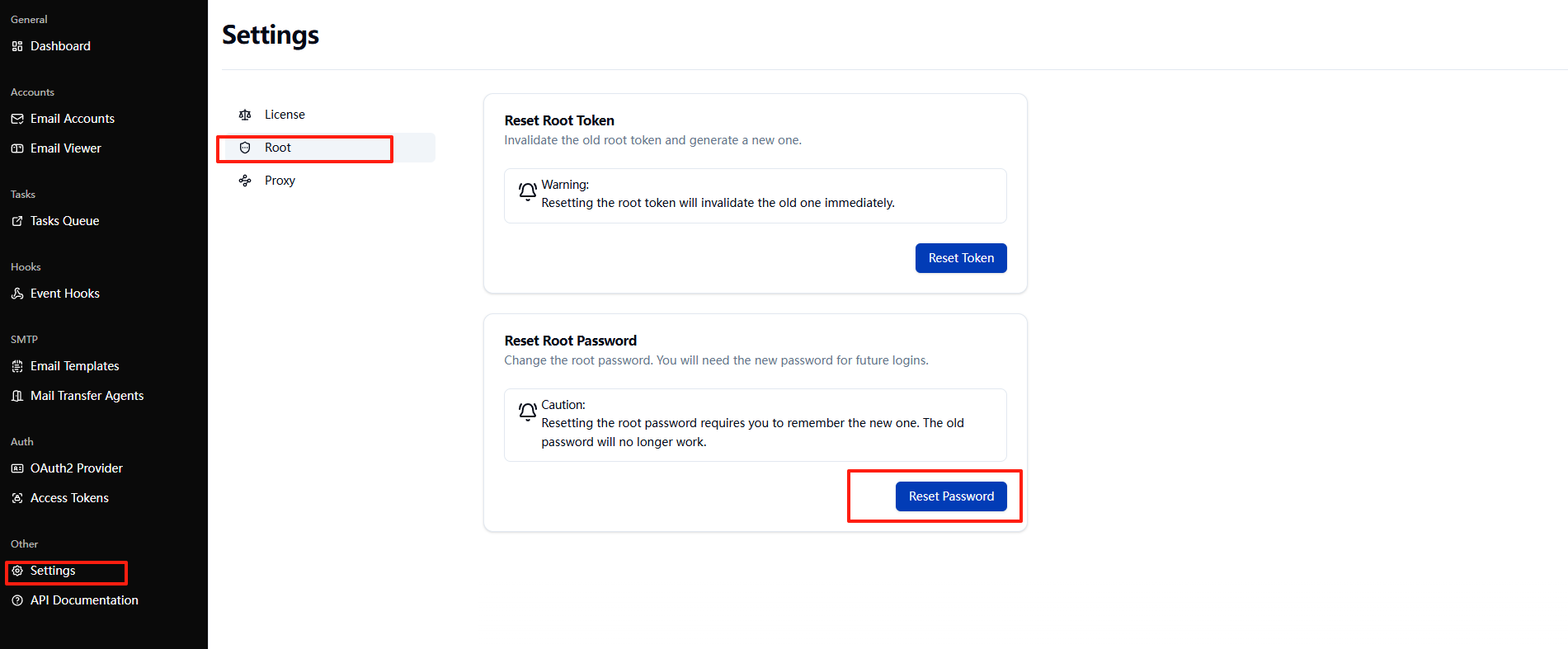
- Log into the Web UI with the root account.
- Go to Settings → Root.
- Enter and confirm a new root password.
- RustMailer updates the stored password and encrypts it.
- You will be logged out automatically and must log in again with the new password.
Historical Behavior (Before v1.4.0)
- In versions before 1.4.0, the root token itself was used as the login password.
- This required retrieving the token directly from the installation server’s filesystem.
- In some deployment environments, this was inconvenient.
Since v1.4.0, RustMailer has switched to root password–based login, which is more user-friendly and secure.
Recovering When Root Password is Forgotten
If you forget the root password:
1. Locate the root file inside RustMailer’s data directory (rustmailer-root-dir).
- This file contains the root token.
2. Use the root token to call the password reset API
Use either http or https depending on your RustMailer instance. Replace <your_rustmailer_address> with your actual instance address.
Request example:
POST http(s)://<your_rustmailer_address>/api/v1/reset-root-password
Authorization: Bearer <root_token>
Content-Type: text/plain; charset=utf-8

<new_root_password>
curl example:
curl -X POST "http(s)://<your_rustmailer_address>/api/v1/reset-root-password" \
  -H "Authorization: Bearer <root_token>" \
  -H "Content-Type: text/plain; charset=utf-8" \
  --data 'myNewRootPassword123!'
- Replace
<your_rustmailer_address>with your instance URL or IP (e.g.,localhost:15630ormail.example.com). - Replace
<root_token>with your actual root token. - Replace
'myNewRootPassword123!'with the new root password you want to set.
- On success, you can log into the UI again with the new root password.
Key Points to Remember
- Only the root account can log into the Web UI.
- Default password after deployment is
root→ must be changed immediately. - Passwords are stored encrypted in the RustMailer database.
- If forgotten, use the root token from the filesystem + reset API.